Apex Cheats Compared, Why Feature Depth and Configuration Beat a Basic Aimbot
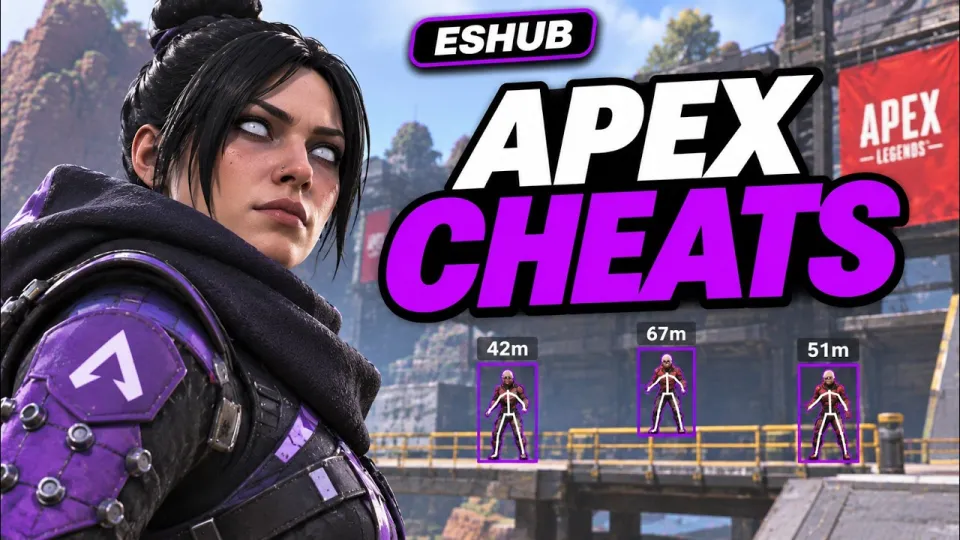
Video: Apex Cheat - Soo I Tried Apex Cheats In 2026 & The Results Were INSANE...
Apex cheats are third-party overlays and aim tools for Apex Legends, and the version worth comparing in 2026 is the one that combines a configurable aimbot with full ESP and radar rather than a bare aimbot alone. The package shown in Silent Mood's breakdown, available through the Eshub Apex Legends cheat page, bundles aimbot with custom FOV and smoothness, player and enemy ESP, box and skeleton ESP, item and loot ESP, snaplines, distance indicators and radar. That breadth is the main argument for it over single-feature tools, and the main reason to weigh the risk carefully.
What an Apex cheat package actually includes in 2026
The modern Apex cheat is a menu-driven overlay with several independent modules, not a single toggle. In the build covered by Silent Mood, the modules fall into three groups: aim assistance, visual information and positioning data.
Aim assistance covers the aimbot itself, with a configurable field of view, a smoothness value that controls how quickly the crosshair travels, custom target selection and visibility checks so the tool only engages targets the game considers visible. Visual information covers player ESP, enemy ESP, box ESP and skeleton ESP, which draw outlines and bone structures through geometry, plus item ESP and loot ESP for ground loot. Positioning data covers radar features, snaplines and distance indicators that show where opponents are relative to the player.
Each module has its own keybinds and settings, which is what separates a serious cheat from a free hack that ships one fixed profile. A free tool typically gives you an on/off switch and nothing else; a configured package lets you run ESP only, or aimbot with a narrow FOV and high smoothness that behaves very differently from a snap-aim setup.
How aimbot FOV, smoothness and visibility checks change the results
The aimbot is the feature most people search for, and its behavior depends almost entirely on three settings: FOV, smoothness and visibility checks.
- FOV defines the cone around the crosshair in which the aimbot will acquire a target. A wide FOV grabs enemies you never looked at; a narrow FOV keeps the assist close to your natural aim.
- Smoothness controls the speed of the crosshair movement toward the target. Low smoothness produces an instant snap, high smoothness produces a slow pull that looks closer to human tracking.
- Visibility checks prevent the aimbot from locking onto players behind cover, which reduces obvious through-wall snaps.
- Target selection decides whether the tool prioritizes the closest enemy, the one nearest the crosshair, or a manually chosen target.
In the gameplay segment of the video, the aimbot is demonstrated with tracking that follows a moving opponent rather than a single flick, which is the practical difference between a tuned configuration and a default one. The same logic applies to keybinds: binding aim assist to a hold key rather than a toggle gives finer control over when the tool is active.
Player ESP, item ESP and radar compared by usefulness
ESP is the module that changes decision-making most, and its sub-features are not equally valuable. Player ESP and enemy ESP show opponent positions through walls and terrain, box ESP frames each enemy in a rectangle with a health indicator, and skeleton ESP draws the bone structure so you can read posture and movement direction. Snaplines connect your position to each detected enemy, and distance indicators tell you how far away they are.
Item ESP and loot ESP are the underrated part. Apex Legends is a game where armor level, attachments and shield batteries decide fights, and knowing what loot is inside a building before you enter it compresses the time spent looting. In practice, loot ESP affects rotations and drop choices more than aim assistance does, because it removes the guesswork from the first two minutes of a match.
Radar is the third layer: a compact display of nearby players that works even when line of sight is blocked. Compared with box ESP, radar gives less detail per enemy but a faster read of the overall picture, which matters in the final rings where third parties arrive from unexpected angles.
Step-by-step setup and configuration checklist
Setting up a cheat package is mostly a configuration exercise, and the order matters.
- Download the build from the official page and follow the provider's injection instructions exactly; version mismatches after a game update are the most common cause of a tool not loading.
- Launch the game first, then the cheat, unless the provider specifies otherwise.
- Open the settings menu and configure the aimbot FOV and smoothness before touching ESP, since aim behavior is the hardest thing to tune mid-match.
- Assign keybinds for each module so you can toggle ESP and aimbot independently.
- Enable player ESP and box ESP first, play a match, then add skeleton ESP and snaplines if the screen feels cluttered.
- Enable item ESP only for the looting phase if you find the extra markers distracting during fights.
- Save the profile so the configuration persists between sessions.
A useful rule: enable one module at a time and play a full match with it. Stacking every feature at once makes it impossible to tell which setting is causing a missed read or an odd crosshair movement.
Risks, detection and the honest comparison against playing clean
Every cheat comparison has to include the downside, and the source video states it plainly in its own disclaimer: third-party software may violate EA's Terms of Service and can result in account restrictions or bans. Apex Legends runs server-side and client-side anti-cheat, and bans are applied to accounts, not just to sessions, so a banned account loses its cosmetics, heirloom progress and rank history.
The comparison therefore comes down to what you are optimizing for. A free hack offers a single aimbot toggle with no tuning and the highest chance of behaving suspiciously. A paid, feature-complete package offers granular control, ESP and radar, but carries the same fundamental account risk. Playing without third-party software carries no ban risk at all and preserves the ranked climb as a genuine measure of skill. If the goal is purely to understand how these tools work, the showcase format is the safer way to see them in action.
Where to find the tool and community support
The build featured in the breakdown is distributed through Eshub, which also runs a Discord server for support and updates. The relevant links are:
- Apex Legends cheat product page: https://eshubcheats.com/hacks/12-apex-legends-cheats-aimbot-esp-wallhack/
- Eshub Discord for support and updates: https://discord.com/invite/eshub
- Eshub main site: https://eshubcheats.com/
Support channels matter more than they seem: after a major Apex Legends patch, a cheat build needs an update, and a Discord server is usually where that status is announced first.
Final verdict on Apex cheats in 2026
A feature-complete Apex cheat package beats a bare aimbot on configurability, because FOV, smoothness, visibility checks and independent ESP modules let the user control exactly how the tool behaves. Item ESP and radar add information that aim assistance alone cannot provide, and the setup checklist above is the difference between a usable configuration and a cluttered screen. At the same time, the ban risk is real and applies to the account, not the session, as the source video's disclaimer acknowledges. Silent Mood's breakdown is a clear look at what these tools contain and how the settings interact, and anyone curious about the full feature list can start at the Eshub Apex Legends cheat page.
Key takeaways
- The showcased Apex cheat package bundles aimbot, player ESP, box ESP, skeleton ESP, item ESP, snaplines, distance indicators and radar in one tool.
- Aimbot settings include a custom FOV, smoothness control, target selection and visibility checks, so behavior can be tuned rather than locked to one profile.
- Item and loot ESP highlight ground loot, which changes rotation and drop decisions more than raw aim assistance does.
- Third-party software violates EA's Terms of Service and can lead to account restrictions or bans, as the source video's own disclaimer states.
- The breakdown comes from the Silent Mood channel, published on 27 November 2026.
Source: Apex Cheat - Soo I Tried Apex Cheats In 2026 & The Results Were INSANE... · Markdown version
Questions & answers
What features does the Apex cheat shown in the video include?
The package bundles an aimbot with custom FOV and smoothness, player and enemy ESP, box ESP, skeleton ESP, item and loot ESP, enemy tracking with visibility checks, custom target selection, snaplines, distance indicators and radar. Each module has its own settings and keybinds.
Does using Apex cheats get your account banned?
Yes, it can. Third-party software violates EA's Terms of Service, and the source video's own disclaimer notes that account restrictions or bans are possible. Bans apply to the account, so cosmetics and rank progress are lost along with access.
What is the difference between player ESP and item ESP?
Player ESP reveals opponent positions through walls and terrain, often with boxes, skeletons and distance readouts. Item ESP highlights ground loot such as weapons, attachments and shields, which mainly speeds up looting and informs drop and rotation decisions.
Which aimbot settings matter most?
FOV, smoothness and visibility checks. FOV sets the cone in which targets are acquired, smoothness controls how fast the crosshair moves, and visibility checks stop the tool from locking onto players behind cover.